logo
JeetBot
Our news
News
JeetBot — бот для Twitch, Kick и VK Live с TTS и мод-алертами

Make your streams more interactive

A powerful bot for Twitch, Kick and VK Live with message speech synthesis, automatic translation, and many other features to enhance interaction with viewers.

100+

Active streamers

0

Channels online

1mln+

Spoken messages

1mln+

Processed messages

Bot features

One bot for your chat, channel and stream. Turn on each feature separately in the dashboard, and the bot handles the rest.

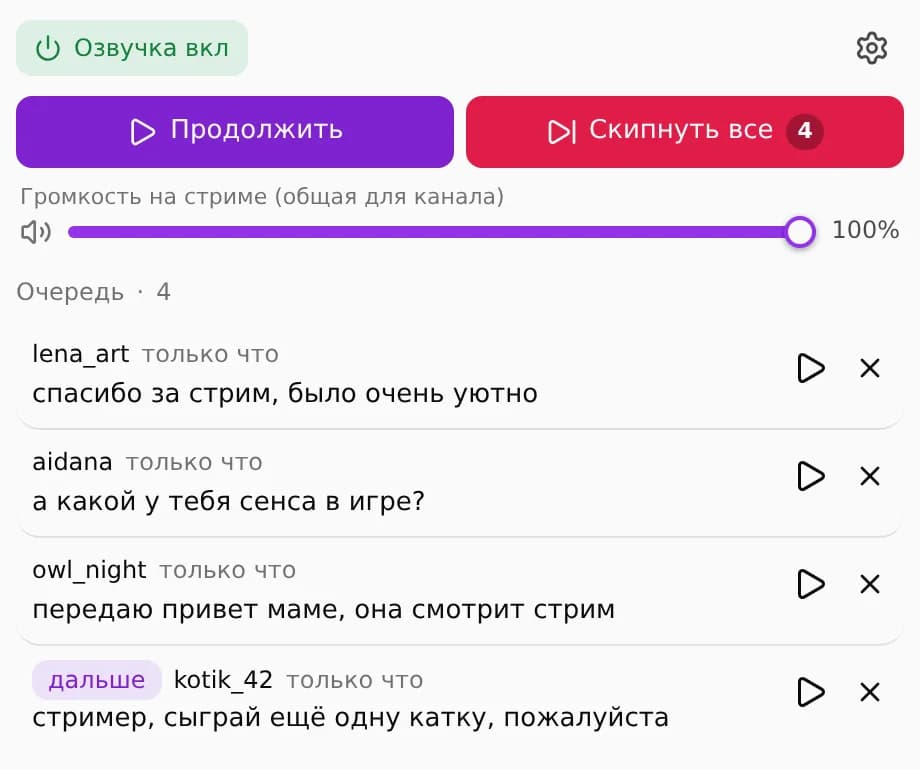
Text to speech

The bot reads chat out loud: the whole chat or only messages sent with a reward. Base voices are free, and custom voices can read 75 messages a day.

  • Pause, skip and replay from the OBS dock or Stream Deck
  • Profanity filter and banned words applied before a message is spoken

Learn more
Text to speech dock: message queue, pause and skip

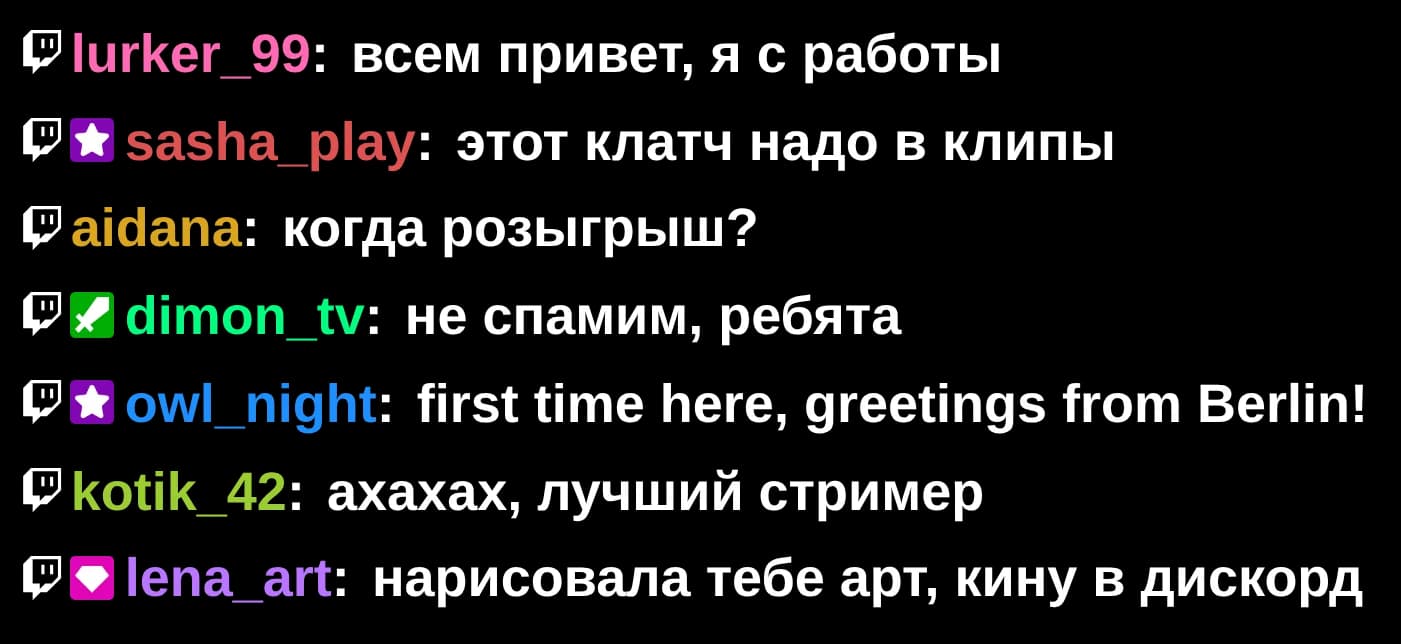
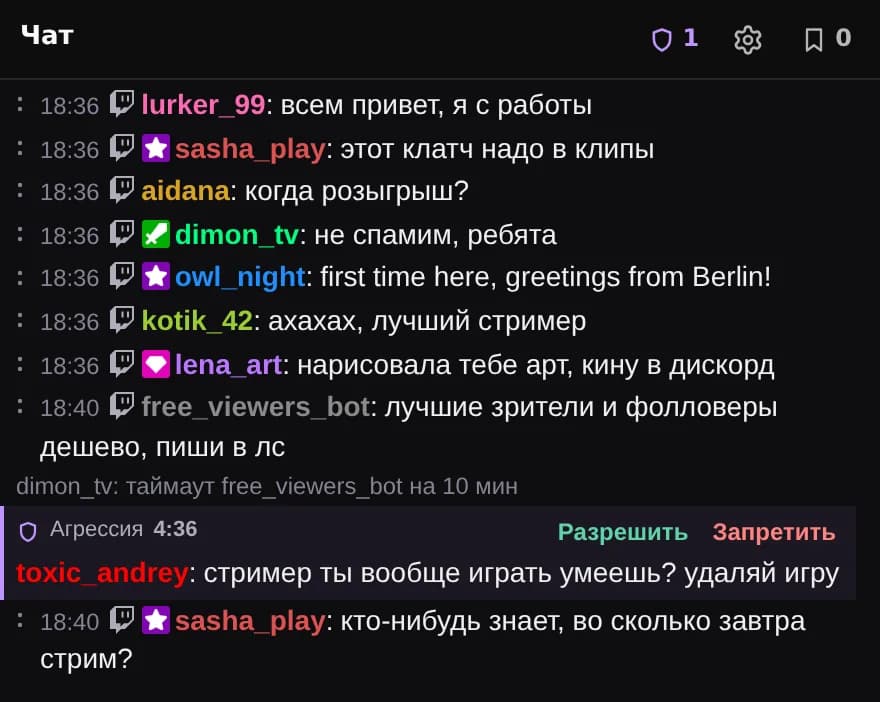
Chat on stream and in OBS

The overlay shows chat on top of your game. The OBS dock merges the same chat into one feed, and you can moderate right from it.

  • Swipe a message to delete it or time the user out (Twitch and Kick)
  • Messages held by AutoMod can be allowed or denied right in the dock (Twitch)
  • Font, colors, shadows and feed direction are set in the dashboard

Twitch · Kick · VK Video Live

JeetBot chat overlay on top of a game
OBS chat dock with a message held by AutoMod

Song requestsNew

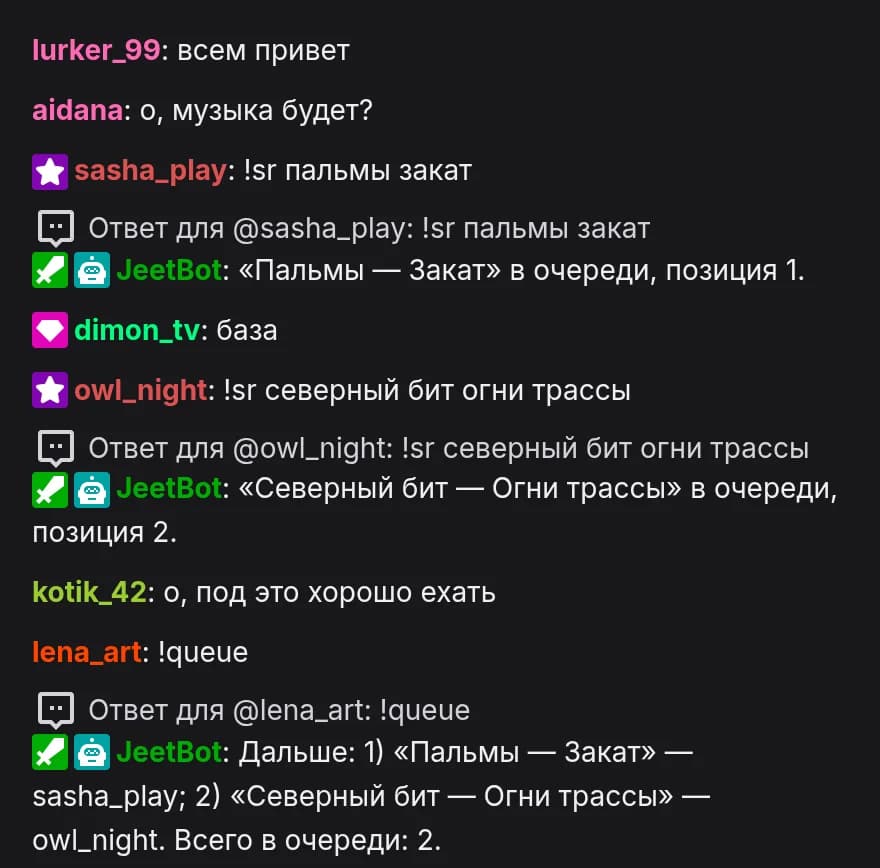
Viewers request YouTube tracks with !sr or for channel points. The music plays in an OBS overlay, and you run the queue from the dashboard or Stream Deck.

  • !sr takes a link or just a track name
  • !skipsong for moderators; !queue, !np and !wrongsong for viewers
  • Four overlay styles: video, plate, vinyl record and ticker

Twitch · Kick · VK Video Live

Learn more
"Now playing" plate in OBS
A viewer requests a track with !sr and the bot adds it to the queue

Mod alertsPro

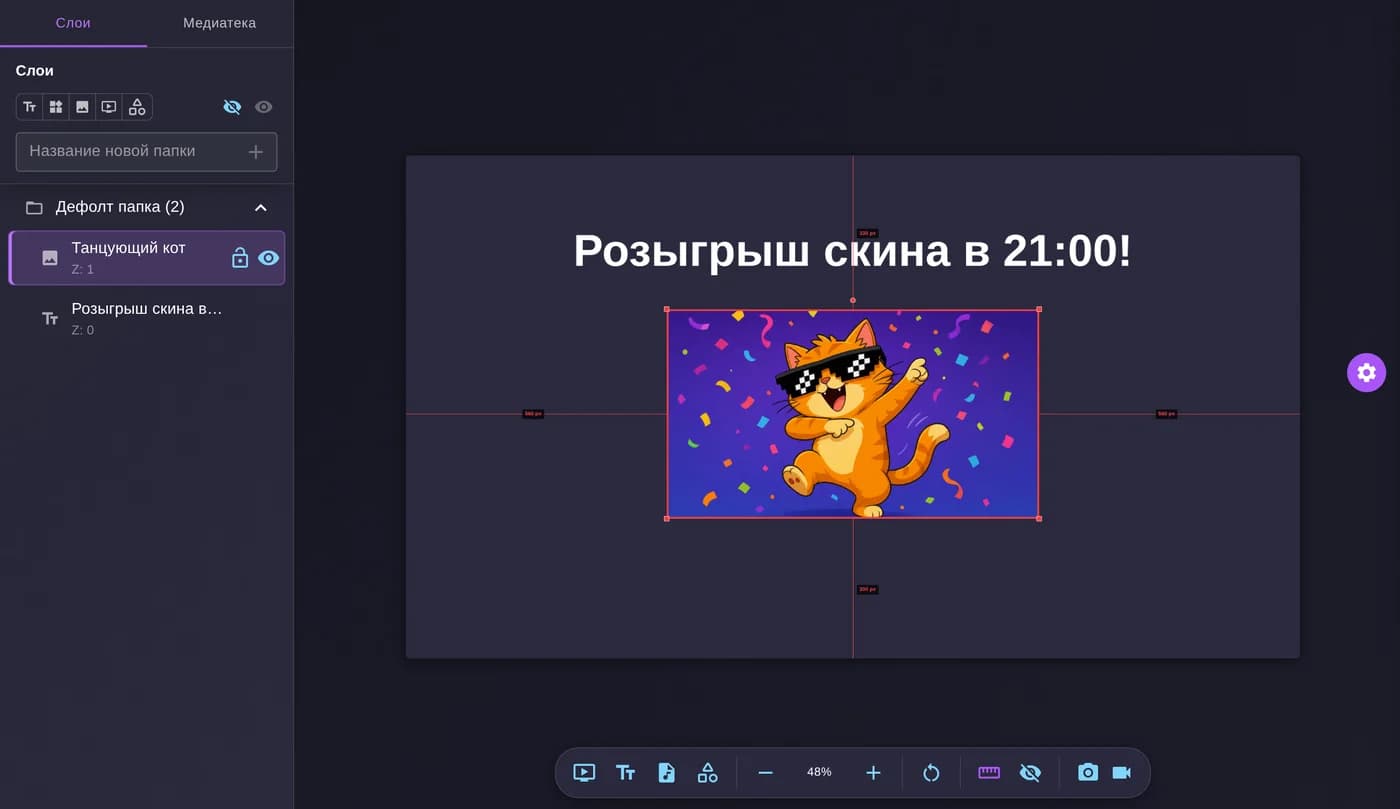
Moderators put images, GIFs and text on stream right from the browser. The scene stays in sync with OBS.

Learn more
Mod alerts editor in the dashboard

More features

Pick a feature to see how it works.

In chat

Channel

On stream

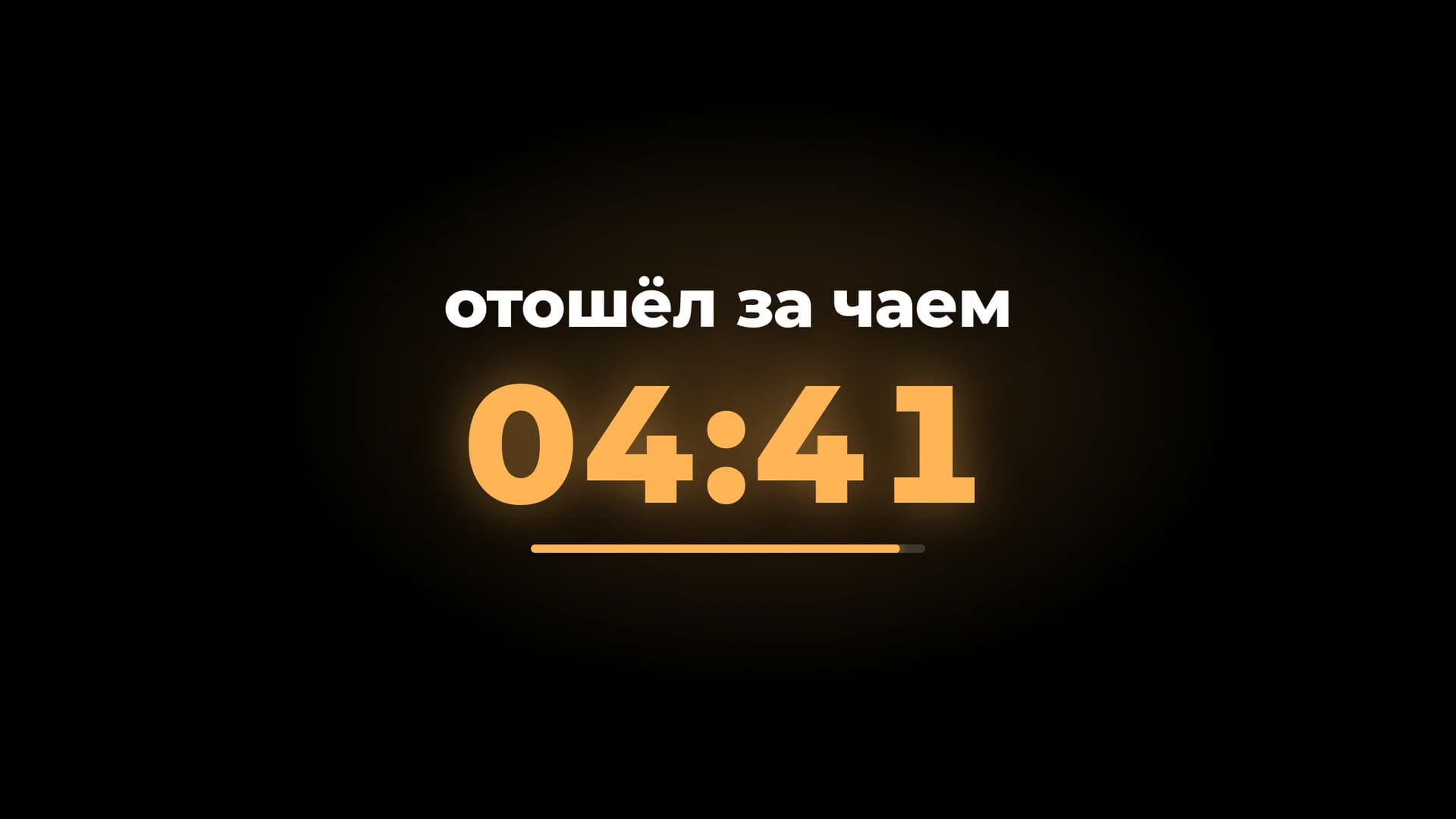
  • The !brb 5 command puts a screen with a timer and your text on stream, and !brbstop removes it. A dashboard button or Stream Deck does the same.

    "Be right back" screen over a game

Outside chat

"Be right back" screen

And everything you need from a bot every day

  • Custom commands and variables
  • Timers
  • Moderation and filters
  • Polls and predictions
  • !uptime
  • !weather
  • Valorant rank
  • $(api) in commands
  • Steam → stream category
  • Faceit stats
  • Moderator access
  • Change log

Example voices for speech synthesis

Skuf

0:00
100

Dota 2 Pudge

0:00
100

Stalker Sidor

0:00
100

Support us

Starter

3€/month

    Streamer

    12€/month

      Ultimate

      50€/month

        For viewers

        Viewer subscription

        Subscribe so your messages get read aloud on stream — even when the streamer's voice limit has run out.

        Get viewer subscription
        Premium icons
        Pick premium icons for your chat messages — available in the extension.
        Premium voices
        All premium voices for your messages.
        Personal limit
        Your own daily message pool, independent of the streamer.

        Our Supporters

        Frequently asked questions

        Ask in our Discord community or message us on Telegram. You can also email support@jeetbot.cc.

        Log in with Twitch and configure the bot in the control panel.

        The streamer sets the default voice for all viewers in the TTS settings. A viewer can change their own voice with a chat command, for example !tts Skuf, and !ttsvoice shows the current voice. See the full list of voices.

        Check that you haven't banned the bot, and log in to the control panel again. If the bot is active, try deactivating it and activating it again. If that doesn't help, contact support on Discord or Telegram.

        If your Twitch account gets banned, the bot will automatically cancel the auto-renewal of your subscription. You don't need to do anything manually — you won't be charged for future periods.

        Still have questions?

        Join the official Discord for quick answers.

        Join Discord

        JeetBot © alexue4.dev 2026 | Terms of Service | Privacy Policy |

        Email: support@jeetbot.cc